

R-Go HE Basic Vertical mouse

Ergonomics in your hand

Vertical design

Comfortable grip

Bluetooth connection

For a natural and relaxed posture

Vertical design

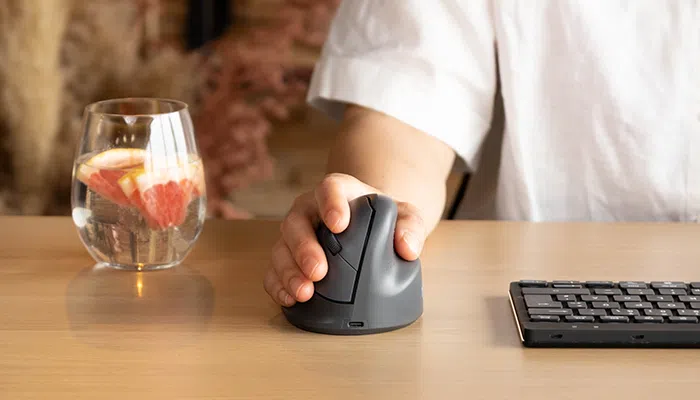
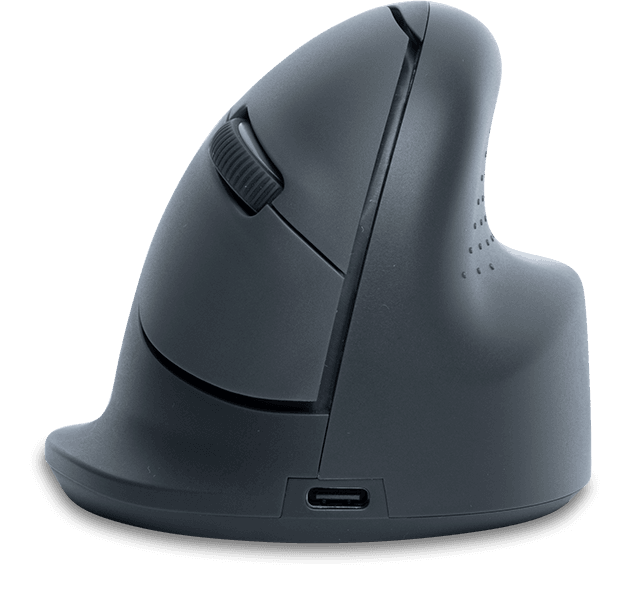
The R-Go HE Basic mouse has an ergonomic vertical shape, which ensures that your arm and hand have a natural, relaxed posture. This natural “thumb up” posture stimulates larger mouse movements, which are healthier than small movements from the wrist. This way you relieve small muscles and tendons in the wrist and hand and can prevent annoying pain symptoms such as RSI. Make sure you do not set the cursor speed of the mouse too sensitive, otherwise you will probably still make small cramped movements. This mouse is purposely designed to be lightweight, so you need less muscle tension to move it.

Benefits

R-Go HE Basic Vertical Mouse

  • Vertical design
  • Comfortable grip
  • Supports all fingers
  • Bluetooth connection

Comfortable grip

Supports all fingers

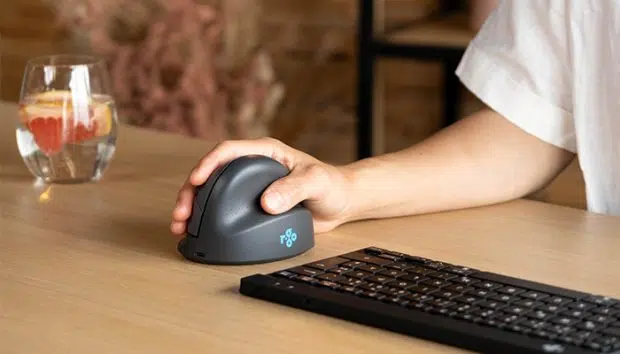
This vertical mouse has a round design and fits perfectly in your hand. Your hand is optimally supported and the grip feels natural and relaxed. The HE Basic mouse has special support surfaces for your thumb and little finger. This prevents the fingers from sliding down during mouse usage and you need even less muscle tension. Mousing has never been so comfortable!

Optimal wireless working

With Bluetooth connection

Never bother with tight cables again! This wireless HE Basic mouse makes mouse usage even easier. The mouse easily connects to your device via Bluetooth and has a rechargeable Li-Ion battery.

All you need to know

Description

The vertical R-Go HE Basic mouse has a curved shape that follows the natural position of your hand. This ensures that your hand has a relaxed position while using the mouse. The vertical design is intended to stimulate the mouse movement advised by ergonomists from your forearm. This prevents physical complaints such as RSI. The mouse features a special support area for the thumb and little finger, so that all fingers are supported. This wireless mouse can be easily connected via Bluetooth. The ergonomic R-Go HE Basic mouse is initially only available for right-handed usage in size M.

Certified

Tested and recommended

”Ergonomic and body-friendly mice, keyboards, monitor arms, document holders and laptop stands from R-Go aid natural and effortless computer work. They relieve the user instead of putting extra strain on them. It is especially important that the aids fit the user, as different people have different preferences. Congratulations on the AGR seal of approval and on products that make working life easier!”
Aktion Gesunder Rücken (AGR)

FAQ

Veelgestelde vragen

Category: HE Basic

Set the switch on the bottom of the mouse to “ON.” Connect to the Bluetooth device via the computer. For more information, please refer to the HE Red mouse manual.

Categories: HE Basic HE Break Twister

The DPI button is located on the bottom of the mouse and is labeled ‘DPI’. 1 click changes the DPI 1 time. The DPI can be adjusted from 500-1750. Tip: A lower cursor speed encourages mouse movement from the arm and prevents stressful repetitive movements from the wrist.

– Go via the Windows menu to ‘Settings’ and click on ‘Devices’.

– See if the row displayed says ‘Bluetooth’

– If so, check whether Bluetooth is really ‘on’

Note: Now do not use a Bluetooth dongle, otherwise no connection will be possible!

Categories: HE Basic HE Break Twister

– From the Windows menu, go to ‘Settings’ and click on ‘Devices’.
– Switch Bluetooth to ‘on’.
– Ensure that your new device is sufficiently charged.
– Press and hold the sync button on the bottom of the device until the blue light blinks.
– Select the mouse from the displayed row on the computer screen to connect it to the computer.

Categories: HE Basic HE Break Twister

This is not due to the mouse, but to the computer. There are often 2 causes for this:

-Multiple Bluetooth devices are connected to the computer. As a result, the computer can occasionally process the Bluetooth information from the mouse with a delay. The mouse cursor then seems to stutterer. This usually resolves itself within a minute and the mouse will work normally again.

– The computer has many programmes to load at the same time. As a result, the mouse’s Bluetooth information is processed with lower priority and thus delayed. Usually this resolves itself within a minute and the mouse will work normally again.

Categories: HE Basic HE Break

Yes, that is correct. Our wireless products work via Bluetooth. You only need to pair your mouse once with your computer.

Categories: HE Basic HE Break

The HE mouse is compatible with Windows/Mac OS.